How to review property fines and violations
Quick answer
Open the property that the issue belongs to, review its fines and violations section, inspect the source details and status, then record the next operational step.Open the property and its fines section
Choose Properties, select the relevant address, and move to the fines or violations area of the property workspace.
Read the agency, status, and dates
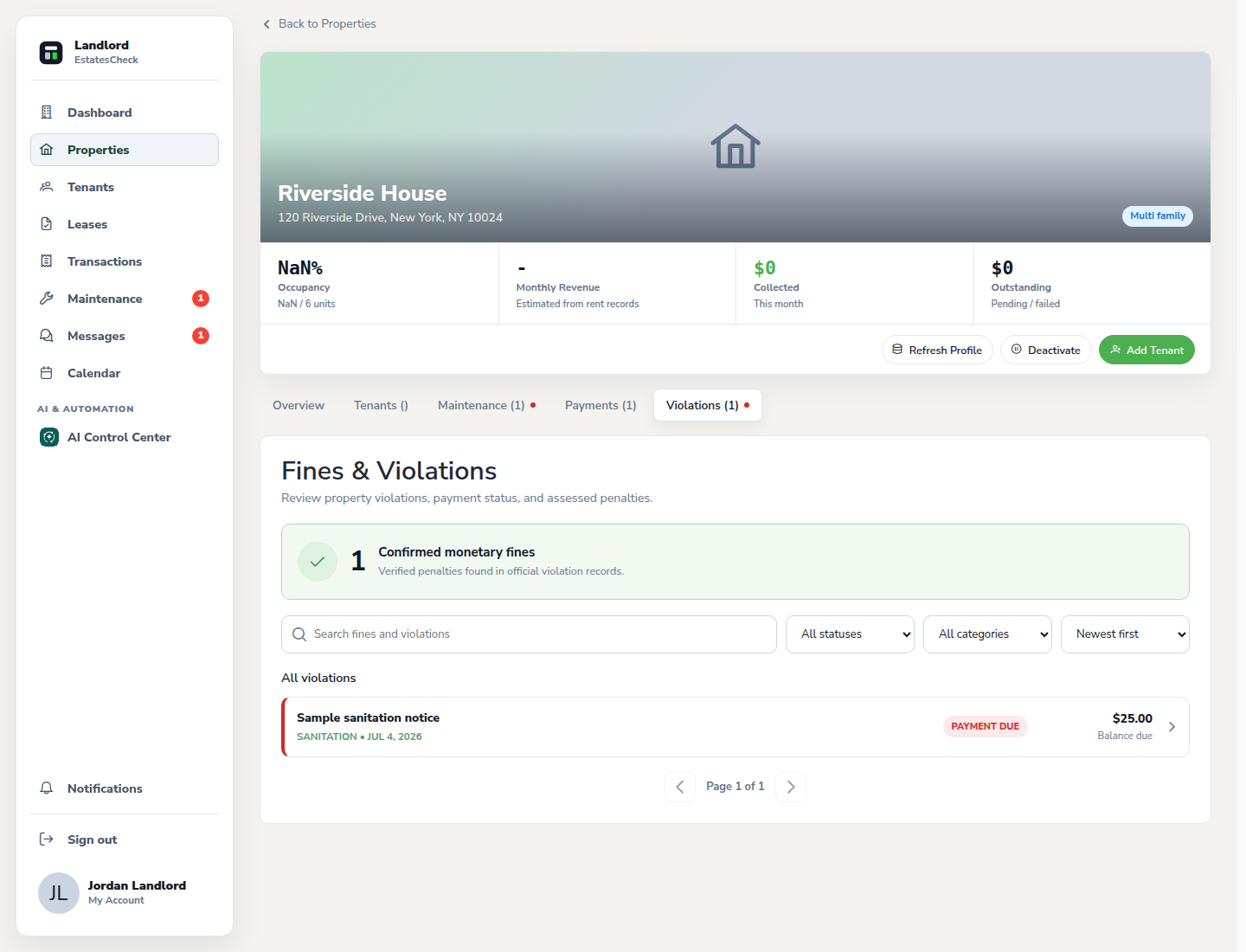
Check which agency supplied the record, the current status shown by EstatesCheck, the issue date, and any amount or deadline included in the source data.
Inspect the record details
Open the record to review the available identifiers and description. Compare important information with the official agency record before making a legal or payment decision.
Plan and document the follow-up
Use the property’s documents, calendar, and maintenance areas to keep supporting files, deadlines, and repair work connected to the same address.
Common questions