How to manage rental properties and units
Quick answer
Use Properties as the portfolio index. Open a property to review its operational summary, update its information, and work with the units attached to it.Find a property in your portfolio
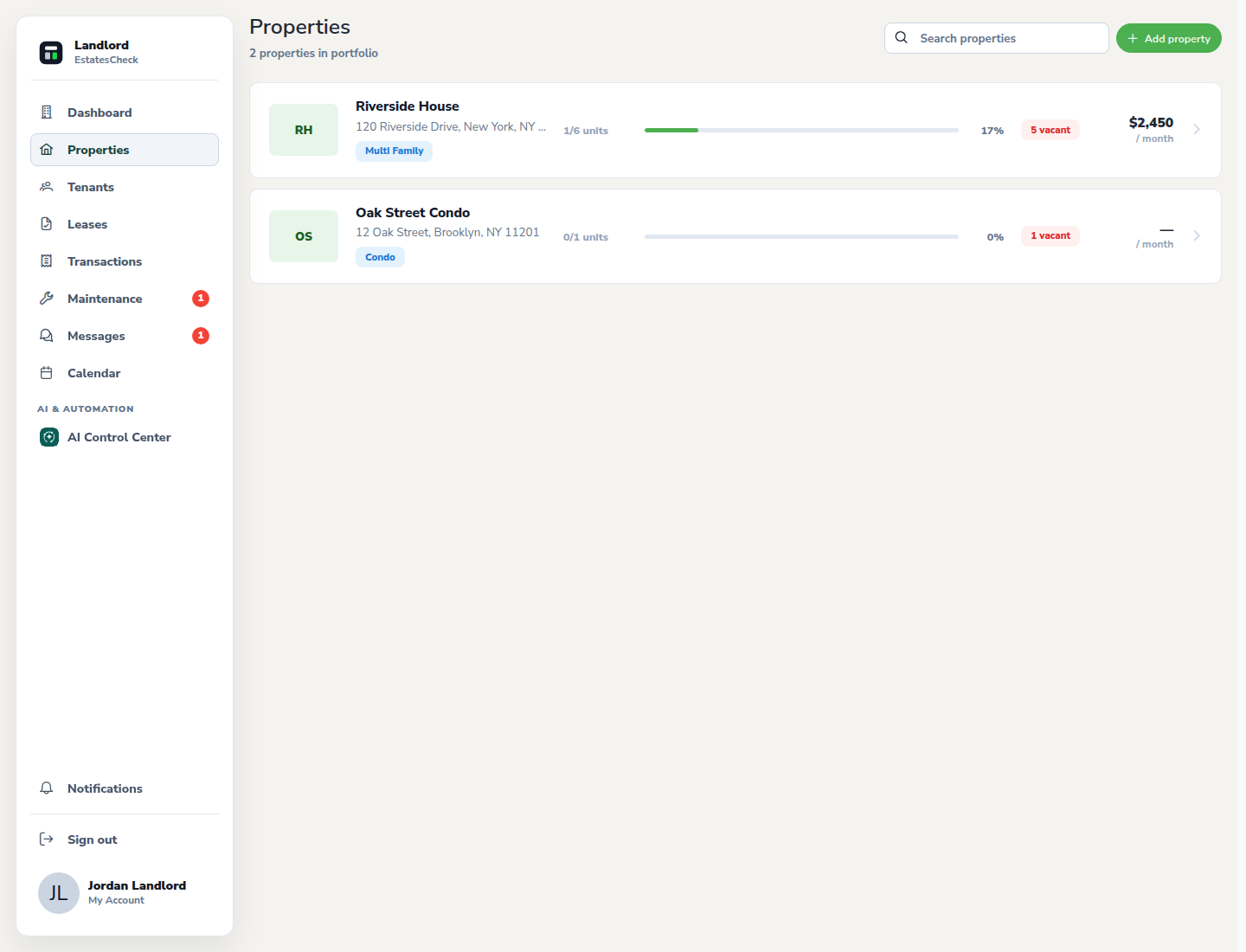
Open Properties and use the portfolio list to locate the address or property name you want to manage.
Open the property workspace
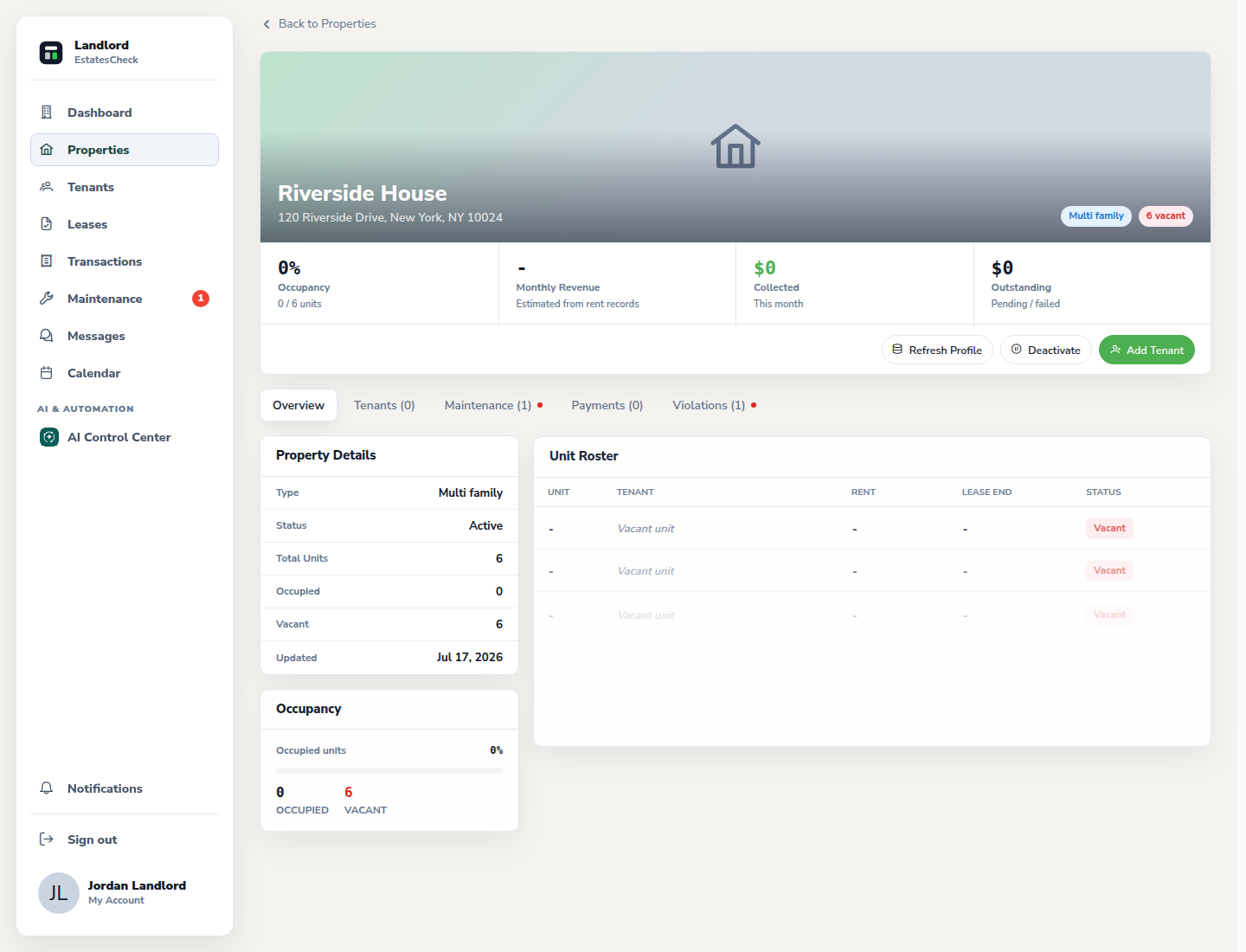
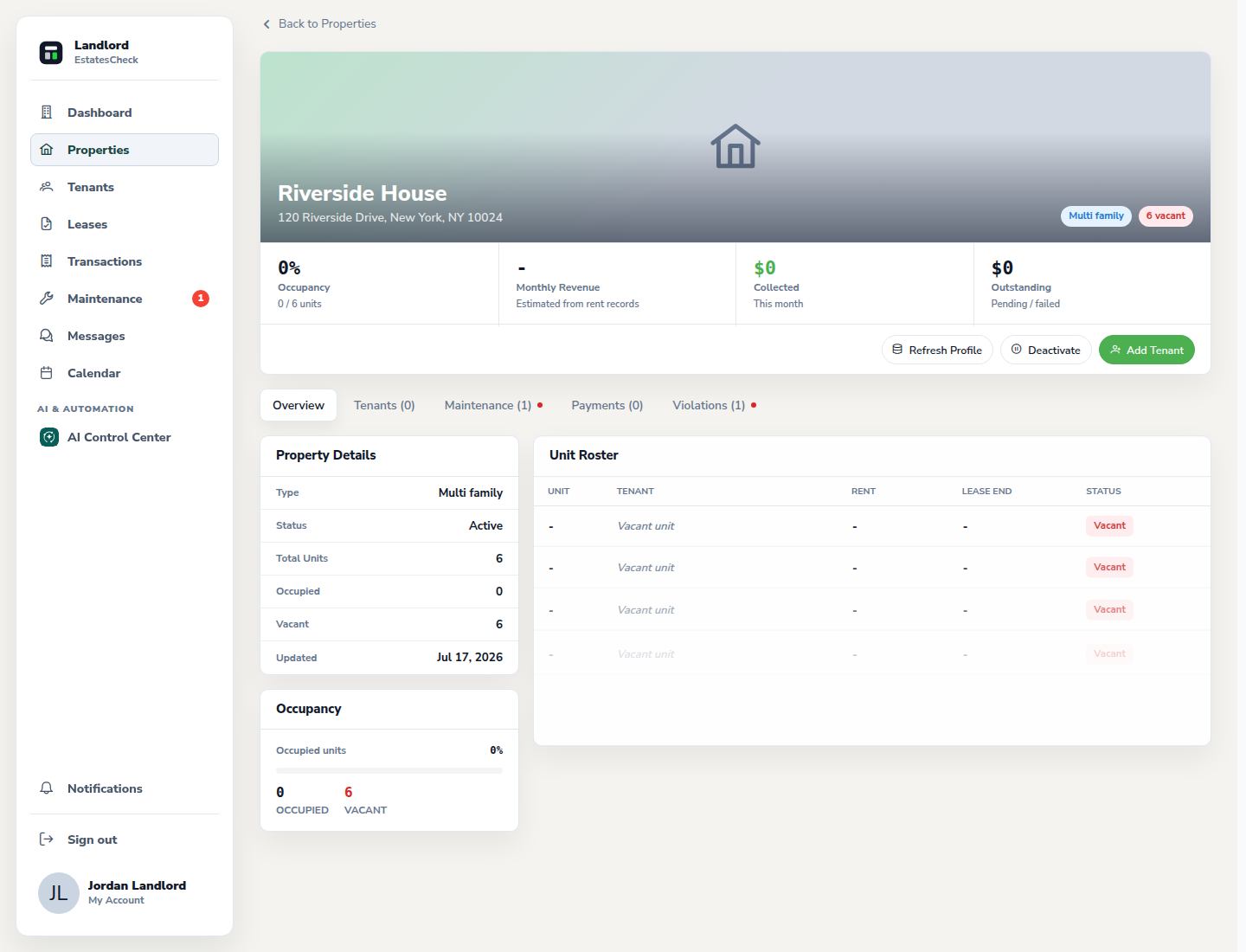
Select the property to open its detail page. Use the overview to check units, tenant activity, documents, maintenance, and supported compliance information.
Update the property image and framing
Use the image action in the property workspace to upload an appropriate building photo. Adjust its position so the important part remains visible in the property header.
Review units and occupancy
Use the unit roster to compare declared units with tenant assignments. The Add tenant workflow can connect a tenant invitation to the appropriate unit label.
Activate or deactivate the property when appropriate
Use the status action to deactivate a property that should no longer be active in the operating portfolio, or reactivate it when work resumes. Review the confirmation before applying the change.
Common questions