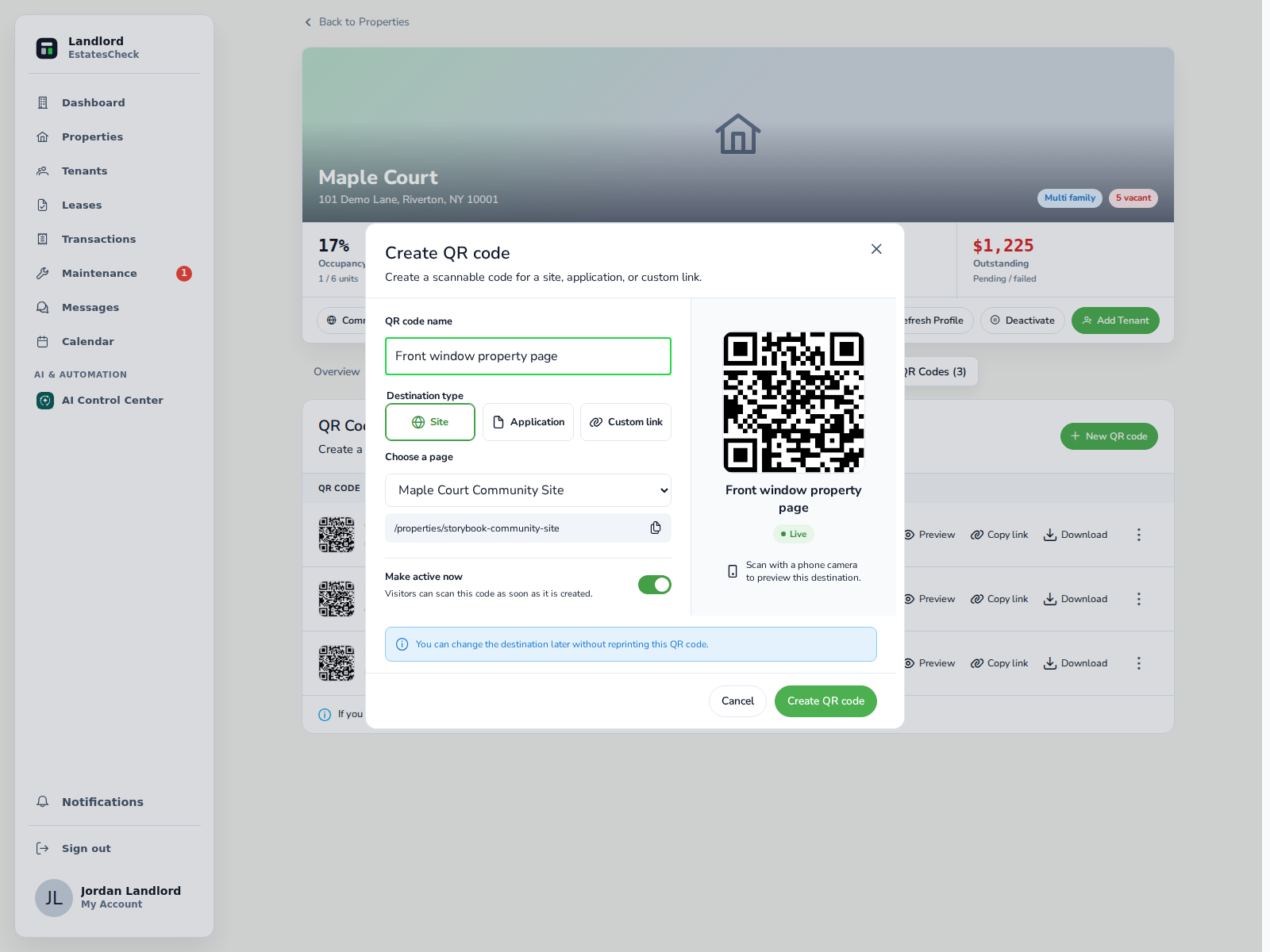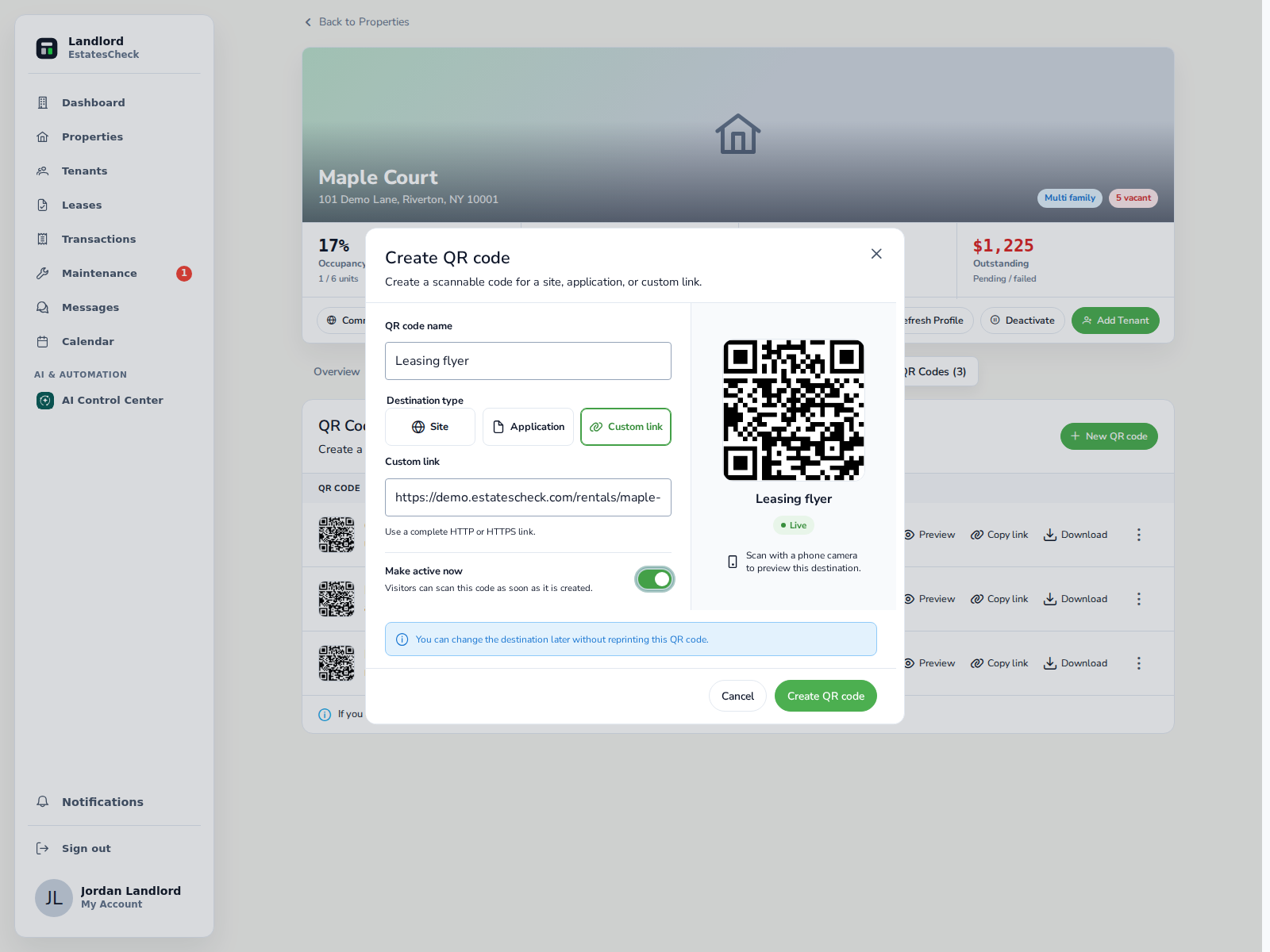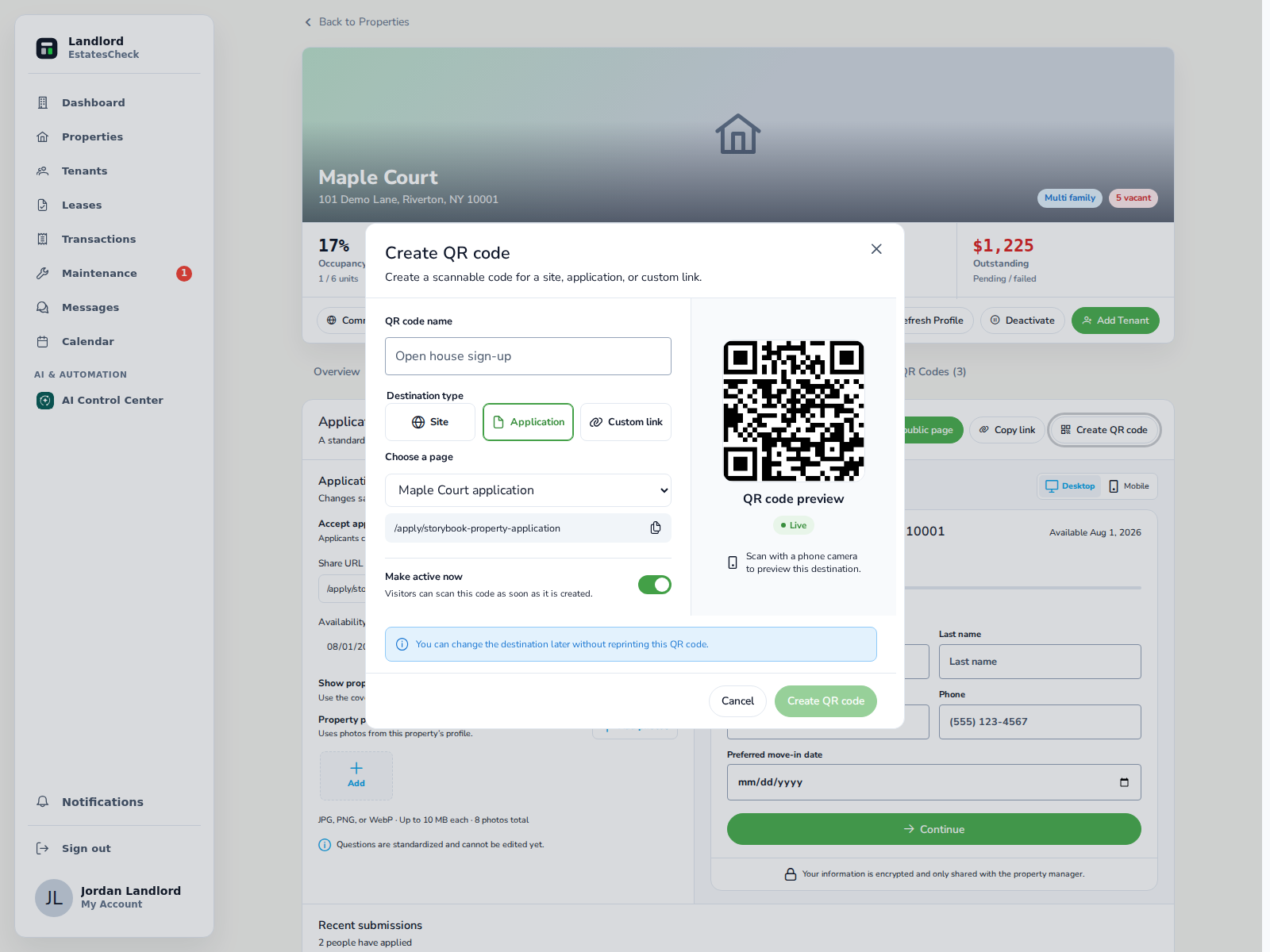
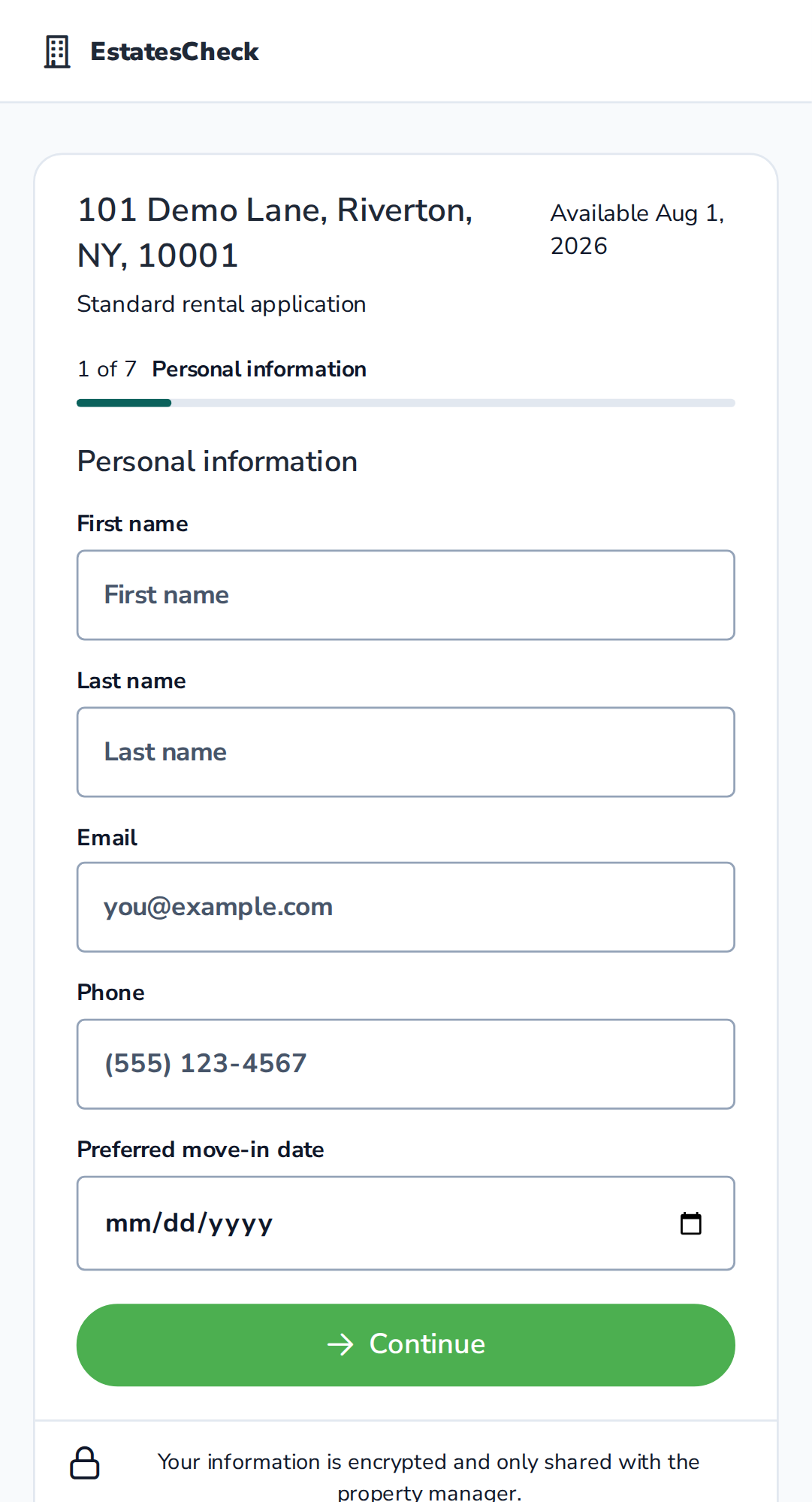
A rental application QR code should open the correct property’s mobile application, clearly identify the rental and housing provider, explain the process and any legally permitted charges, and provide a non-QR alternative. It should not hide where it leads, open a raw PDF that is difficult to complete, or request sensitive information before the applicant can confirm that the page is legitimate.
Decide whether the renter is ready to apply
Do not send every prospect directly to an application. Someone who sees a For Rent sign may still need the rent, photos, availability, requirements, and showing information.
Use Scan to View when the person needs property information first. Use Scan to Apply when the code is specifically offered as the next step in the application process. A property-information code is normally the better fit for a general sign or window notice. An application code may work well on an open-house table card, post-showing handout, or application-instructions page.
For the broader two-code strategy, read QR Code for a Rental Property: A Practical Landlord Guide .
Build a property-specific mobile application
The first screen reached after scanning should confirm what the applicant is about to do. Do not make the applicant search a portfolio-wide website to find the property again. Do not link to an internal dashboard, editable document, or private file-sharing page.
The form should work comfortably on a phone. Use clear field labels, useful error messages, visible progress, and a way to save or safely restart when the application is long. Avoid requiring an app download merely to open the form.
- Property address and unit, when applicable
- Advertised rent and availability
- Housing provider or property manager identity
- Application steps and required documents
- Current screening criteria described in neutral language
- Any legally permitted charge and when it is collected
- Privacy information
- Contact method for questions or accommodation requests
Create the code without exposing private information
The QR payload should contain only a secure HTTPS link. A managed QR code can use a stable redirect link whose destination may be updated later. That is convenient for reusable materials, but the redirect must remain under trusted control. Prevent open redirects, support deactivation, and keep the destination consistent with the printed instruction.
Use a descriptive internal name such as “August open house — application.” If the property or application changes, the name helps the landlord identify which printed copies may still exist.
- Applicant details
- Passwords or temporary login credentials
- Building-entry codes
- Owner or tenant private information
- Screening results
- Bank or payment information
Tell the applicant exactly what will happen
Place plain-language copy beside the code: “Scan to start the rental application for this property.” Also print a readable short URL, property identifier, housing-provider name, contact method, and applicable equal-housing notices.
Avoid manufactured urgency such as “Apply in the next five minutes or lose the apartment.” Give the applicant an opportunity to review the destination, terms, and privacy information before entering sensitive data.
For recommendations by physical placement, see Where to Put a Rental Property QR Code .
Reduce rental-scam concerns
Application pages ask for information that can be valuable to scammers. Trust signals need to appear before the first sensitive field.
The Federal Trade Commission warns that rental scammers may copy legitimate listings, replace the contact information, and seek fees, deposits, or personal information. It recommends verifying the owner or management company using independently obtained information. FTC rental-listing scam guidance .
The FTC also warns that QR codes can conceal spoofed destinations. It advises people to inspect the revealed URL for misspellings or substituted letters before opening it. FTC QR-code safety guidance .
Use a recognizable branded domain, HTTPS, consistent property details, and an identifiable housing provider. Do not ask an applicant to pay by wire transfer, gift card, or cryptocurrency.
Apply the same terms and process consistently
A QR code creates another entrance to the application; it should not create a different application standard.
NYC’s fair-housing guidance says financial and credit qualifications must be applied equally and must not be influenced by protected characteristics. Ensure that QR, emailed, and manually shared application links for the same property present the same current terms, criteria, and required process. NYC tenant-selection guidance .
Review the application questions for protected or unnecessarily sensitive information. Provide a contact path for reasonable accommodations and avoid using QR placement or targeted distribution to limit who learns about an available rental.
Verify New York fee language before publishing
The New York Attorney General’s current Residential Tenants’ Rights Guide says that, before lease signing, the most a landlord can charge for a credit or background check is $20. The guide requires the landlord to provide the applicant a copy of the report and the provider’s invoice, and says a qualifying report completed within the past 30 days can avoid the charge. New York Residential Tenants’ Rights Guide .
Do not reuse a generic application design containing an incorrect fee. Recheck the official guidance immediately before publication or product configuration because the law and its interpretation can change.
Test the entire journey
Before printing, test the full path. After launch, measure the steps below, but do not describe scans as applicants. One person may scan more than once, and some people will appropriately review the page without applying.
- Scan the final material using different phones when possible.
- Inspect the displayed domain before opening it.
- Confirm that the correct property appears.
- Complete a test application without submitting real personal data.
- Check required fields, error messages, uploads, and confirmation.
- Test the short URL and contact alternative.
- Confirm how an application appears in the management workflow.
- Deactivate the test record and remove any test documents.
scans → application-page visits → application starts → completed applicationsConnect the code to the property record
EstatesCheck provides a native Application QR destination that opens the property’s public application page. A landlord can also use Custom link for another public application system when appropriate.
Keep the application destination current, deactivate obsolete codes when the property is unavailable, and retain a normal clickable application link for online advertisements and direct messages.
This article provides general information, not legal advice. Verify current application, screening, fee, privacy, accessibility, and fair-housing requirements for the property’s jurisdiction.